
At SoCast, we’re always finding new ways to help broadcasters deepen audience connections and run smoother, more effective promotions across platforms. Fan voting on contest entries in the SoCast Promotion System makes it easier than ever to turn user generated content — photos, videos, stories, and freeform submissions — into community-powered campaigns that keep listeners coming back.
With these updates, stations can confidently run gallery-style contests built on user generated content — think cutest pet, best concert photo, or local “top choice” awards — that feel seamless to listeners while giving promotions teams clear controls behind the scenes.
What’s New: Voting Built Into Your Contest Workflow
We’ve added first-class fan voting to contests that collect user generated content, so your audience can support their favorites without leaving your site or app.
- Enable Voting in One Place: Turn fan voting on from the contest template wizard or the contest editor’s Entry Action Limitations panel.
- Flexible Voting Frequency: Choose once per contest, once per hour, once per day, or once per week — with timezone-aware reset windows your listeners can understand.
- Voting Results Display: Show vote counts before and after voting, only after voting, or keep tallies private when you prefer a surprise reveal.
- Contest Entries Display & Voting Widget: Browse approved submissions in a gallery, open an entry detail page, and vote with a clear call to action.
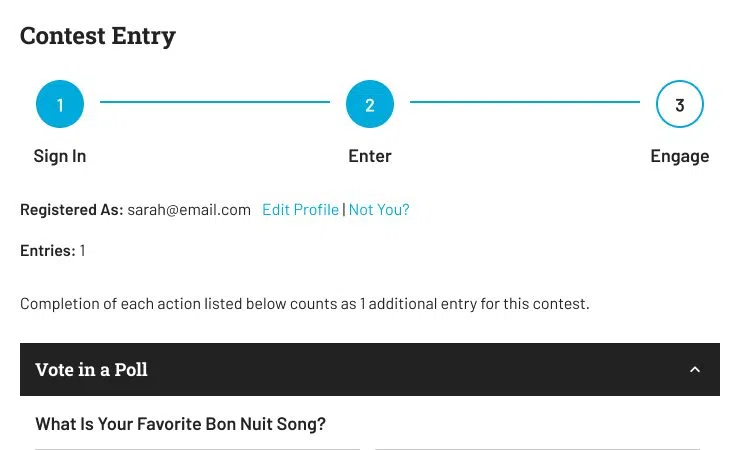
- Member Sign-In for Fair Voting: Fans sign in or sign up to vote, so frequency limits are enforced per member.
- Social Sharing on Every Entry: Entrants and fans can share a direct link to a submission so friends can jump in and vote.
- Admin Visibility: Review vote tallies on the Entries and Votes screens, and include vote data in CSV exports when you need it for winners or sponsors.
Why It Matters: From Passive Entries to Active Engagement
Fan voting transforms a one-time entry into an ongoing reason for listeners to return — and for entrants to recruit their networks. For your audience, that means a faster, clearer path to supporting the submissions they love, with transparent rules about when they can vote again. For promotions and programming teams, these controls provide the confidence to run high-engagement gallery contests without inventing a separate voting tool or fighting support tickets about “who already voted.”
When voting “just works,” listeners stay engaged, entrants promote your contest for you, and your team can focus on sponsorship packages and on-air storytelling instead of manual vote tracking.
If you’re already using SoCast’s Promotion System, you’ll see these improvements in Contest Settings, the Contest Template Setup Wizard, the Contest Editor, and on entry detail pages wherever voting is enabled.
Ready to Launch?
Start with a content-friendly template (Submit an Image, Submit a Video/Audio Link, or Submit a Story), enable voting, add the Contest Entries Display & Voting widget to the contest page, and approve the submissions you want in the gallery. For step-by-step setup, see How to Enable Fan Voting on Contest Entries.





Comments